
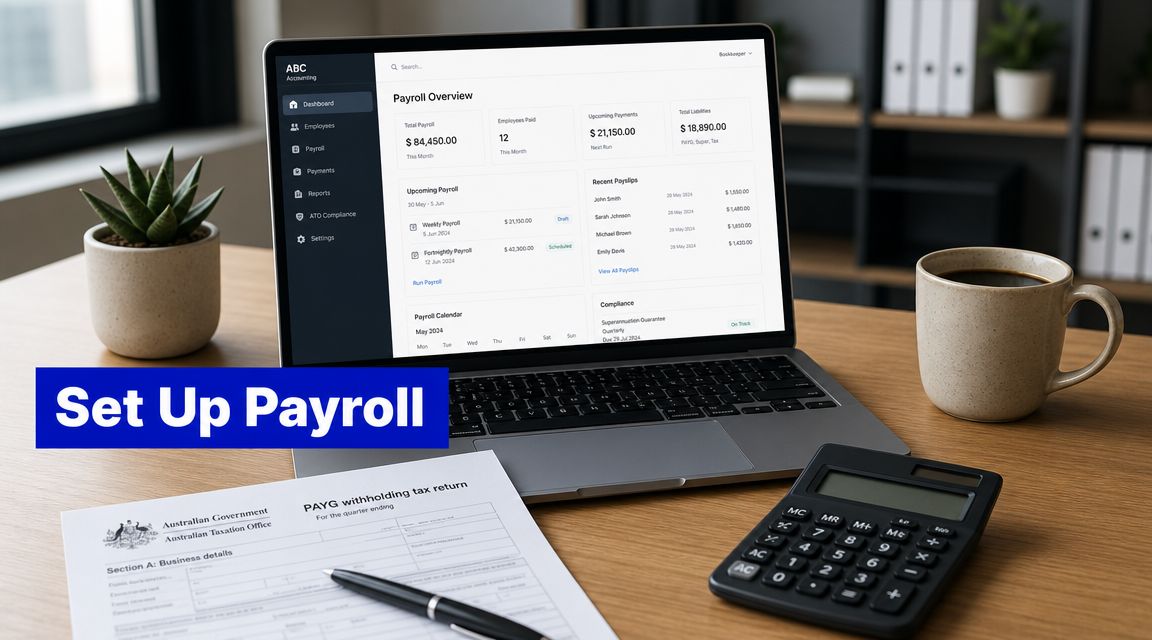
Australian payroll setup can feel overwhelming for small business owners, but getting it right from the start ensures compliance, accuracy, and smooth employee payments. Hiring your first employee is exciting. It also changes your business overnight from simple bookkeeping to ongoing payroll compliance.
In Australia, payroll isn’t just about transferring wages. You need the setup right before the first pay run, because mistakes in tax, super, worker classification, or reporting tend to keep repeating until someone fixes the system properly.
Getting Started with Payroll in Australia
If you’re working out how to set up payroll, start with one assumption. Payroll is a compliance process first and a payment process second.
That’s the part many new employers miss. They focus on pay frequency and bank details, then realise too late that the main risks sit with the ATO, Fair Work obligations, super fund details, and how the payroll system has been configured.
For most small businesses, the cleanest starting point is:
- Set up the business structure and registrations.
- Register for payroll-related obligations.
- Choose software that handles Australian payroll properly.
- onboard staff with complete tax and super information.
- Test the setup before the first live pay run.
If you’re still sorting out your business registration, get that done first through your ABN registration process. A rushed payroll setup on top of incomplete registrations usually creates avoidable cleanup work later.
Payroll errors rarely start on payday. They start during setup.
Quick Summary of Your Payroll Setup Journey
If you need the short version, these are the points that matter most.
- Register first: Before paying staff, make sure the business is properly registered and ready for payroll obligations, including PAYG withholding and any relevant state registrations.
- Use compliant software: Choose payroll software built for payroll setup Australia requirements, especially STP reporting, super processing, leave tracking, and Australian tax settings.
- Collect the right employee details: Get TFN information, bank details, super fund details, employment type, pay rate, and leave settings before the start date.
- Classify workers correctly: Casual, part-time, full-time, and contractor arrangements don’t carry the same obligations.
- Set rules before the first run: Pay cycles, earning categories, leave accruals, award rates, allowances, and approval workflows need to be configured properly from the start.
- Run a test pay: A pilot run catches mapping errors, missing details, and incorrect deductions before real money goes out.
- Stay on top of ongoing tasks: Payroll doesn’t end when wages are paid. You also need payslips, reconciliations, super processing, and ATO reporting.
- Avoid common traps: The biggest payroll mistakes usually involve worker classification, super setup, incorrect earnings mapping, and relying on manual workarounds.
Understanding Your Core Legal Payroll Obligations
Payroll compliance starts before the first pay run. In Australia, the core obligations sit in three separate areas: PAYG withholding, superannuation, and state payroll tax. If one is set up incorrectly, paying staff on time will not fix the problem.
PAYG withholding and ATO reporting
You must register for PAYG withholding before you pay employees. You also need payroll records and employee setup that support accurate ATO reporting from day one.
Since 1 July 2022, most employers have reported through STP Phase 2. That means each pay run sends more detailed wage, tax, and super data to the ATO, so setup errors tend to show up early and keep repeating until they are fixed, as outlined in Rippling’s payroll processing guide.
This means payroll is no longer a task you can tidy up at year end. If you map ordinary time earnings, allowances, paid leave, or salary sacrifice incorrectly, those errors can flow through every lodged pay event.
Super and payroll tax are separate obligations
Super needs its own setup inside the payroll system. That includes the employee’s fund details, the right contribution treatment, and a payment process that matches your reporting. Treating super as an afterthought is one of the more expensive mistakes I see in small business payroll.
Payroll tax is separate again. It is administered at the state or territory level, and liability depends on your total wages and where your employees work. A business can be under the threshold today and still need to register later after a few hires, especially if the team is spread across more than one state.
The practical point is simple. Good payroll setup in Australia is not just about calculating net pay. It is about configuring the system so tax, super, leave, and statutory reporting all work together without manual fixes.
Choosing Your Payroll Software
Manual payroll works right up until it doesn’t. The first allowance change, leave adjustment, or reporting issue usually exposes the weakness.
For most businesses, the decision comes down to Xero, MYOB, or QuickBooks. They all support Australian small business use cases, but they suit different operators.
Payroll software comparison for Australian small business
| Platform | Best For | Key Features | STP Compliance |
|---|---|---|---|
| Xero | Businesses wanting payroll and bookkeeping in one connected ledger | Employee records, pay runs, leave tracking, integrated accounting workflow | Built for Australian payroll reporting workflows |
| MYOB | Businesses with more established admin processes or broader back-office use | Payroll, accounting, reporting, business admin tools | Designed to support Australian payroll reporting requirements |
| QuickBooks | Small businesses wanting straightforward accounting with payroll capability | Payroll setup, employee records, tax and super workflow support | Supports Australian payroll compliance workflows |
What actually matters when choosing
Don’t choose software on brand familiarity alone. Choose based on the work your business does.
- Simple salaried team: Xero is often the easiest fit when you already want bookkeeping and payroll in the same system. If you need help with that setup, see Xero training and setup support.
- More admin-heavy business: MYOB can suit businesses that want payroll sitting inside a broader office and accounting process.
- Straightforward small business setup: QuickBooks can be a practical option when the main goal is getting a smaller operation organised quickly.
If you want a broader independent overview before deciding, it’s worth taking time to compare small business payroll software with a checklist mindset, not a feature-hunting mindset.
What works and what doesn’t
What works is one source of truth. Hours, earnings, leave, super, and reporting should sit in the same system.
What doesn’t work is using one app for timesheets, a spreadsheet for allowances, another portal for super, and manual corrections in the accounting file. That setup almost always creates reconciliation problems.
Onboarding New Employees into Your Payroll System
The quality of your payroll depends on the quality of your onboarding. If employee details go in wrong, the pay run goes out wrong.
The essentials are straightforward. You need the employee’s tax information, bank details, super details, start date, pay basis, and employment type. You also need to decide how they’ll be classified before you process a single shift or salary payment.
Get the forms and details right
At minimum, make sure you collect:
- TFN information: Without the correct tax details, PAYG withholding can be wrong from the first pay.
- Super fund details: Employees need to be linked correctly to their nominated fund and contribution setup.
- Bank details: Obvious, but still one of the most common causes of delayed first payments.
- Employment terms: Full-time, part-time, casual, or contractor. This drives entitlements, pay treatment, and system settings.
- Pay items: Ordinary hours, salary, allowances, overtime, bonuses, and leave categories need to be mapped properly.
Worker classification is where problems start
Employers must correctly classify workers, as casual and contractor arrangements trigger different pay, leave, and entitlement obligations. The Fair Work Ombudsman and the ATO warn that misclassification can lead to significant tax, super, and PAYG withholding errors, a critical risk given the significant share of casual employment in the Australian workforce, as discussed in this Australian payroll classification overview.
That matters more than many owners realise. If you call someone a contractor when the working arrangement points to employment, or if you treat a casual like a permanent employee without the right settings, the payroll file will be wrong before you even think about tax.
If you’re unsure whether someone is an employee or contractor, stop and confirm it before entering them into the system. Cleanup after multiple pay runs is far harder than getting it right upfront.
Worked Example Payroll for a 5-Person Team
A worked example helps show the process, but there’s an important limit here. Actual payroll calculations depend on current tax tables, award rates, hours worked, leave treatment, and the employee’s own declarations. Those figures vary, so you shouldn’t copy a sample calculation blindly.
A realistic five-person setup
A typical small business payroll might include:
- Owner-manager on wages: Usually salaried, with fixed recurring pay and standard withholding settings.
- Operations employee: Part-time with regular weekly hours and leave accruals.
- Retail or admin employee: Casual, paid according to rostered shifts and any applicable loadings.
- Senior staff member: Salary plus occasional allowance or reimbursable items.
- New starter: First pay often reveals onboarding issues such as missing TFN details or incomplete super setup.
How the pay run is built
For each employee, the payroll process usually follows the same order:
- Confirm hours or salary for the period.
- Add the correct earnings categories.
- Check whether any leave was taken.
- Apply PAYG withholding based on the employee’s tax setup.
- Calculate super on the relevant earnings categories.
- Review the net pay before finalising.
This is why a “worked example” in practice is less about one set of numbers and more about a repeatable method. The owner who understands the sequence makes fewer mistakes than the owner who only memorises a sample pay slip.
Processing Pay, Super, and ATO Reporting
Once payroll is live, the risk shifts from setup errors to repeat errors. A pay item mapped incorrectly, a missed leave entry, or an STP file lodged without review can keep repeating until someone spots the pattern.
Each pay run should follow the same control process. Confirm gross pay first, then tax, then super, then reporting. If that order slips, small businesses often end up fixing the wrong problem at the end of the cycle.
What happens each pay cycle
A clean pay cycle usually includes:
- Check earnings lines: Confirm ordinary hours, salary, overtime, allowances, bonuses, and leave are coded to the right pay items.
- Review exceptions: Look for unusual net pay movements, zero PAYG withholding, missing super, or negative leave balances before finalising.
- Approve and pay: Finalise the pay run only after review, then release the bank file or payment batch.
- Issue payslips: Give employees a payslip that clearly shows gross pay, deductions, super, and year-to-date figures where relevant.
- Reconcile totals: Match wages, PAYG withholding, and super back to the payroll reports and general ledger.
That review step matters more than many owners expect.
STP and super should sit inside the same payroll process
STP is not a separate admin task to deal with later. It should be part of every pay run. If you process pay in Xero, MYOB, or QuickBooks, the practical question is the same. Are the pay items mapped correctly, and is the STP submission being checked before it goes to the ATO?
The ATO requires employers to report through Single Touch Payroll, and super guarantee needs to be calculated on the right earnings categories. The super guarantee rate is 12% from 1 July 2025, so payroll settings need to reflect current rates and ordinary time earnings rules. If those earnings categories are wrong, the software will produce the wrong answer consistently. A payroll setup reference from Patriot Software explains the upstream data you need to get payroll operating properly: this payroll setup reference.
Super payment timing also needs its own discipline. Employers generally must pay super at least quarterly by the usual due dates. There has also been a proposed move to Payday Super from 1 July 2026, under which many employers would need to pay super at the same time as salary and wages if the measure proceeds. That makes it even more important to build super clearing, payment approval, and reconciliation into the normal payroll cycle now, rather than treating super as a separate end-of-quarter job.
Rates also change. Minimum pay rates, award rates, and thresholds do not stay still. An Australian payroll obligations guide from QuickBooks notes the practical steps in processing payroll, but effective control comes from reviewing your payroll settings whenever rates change, not just processing the next run as usual: this Australian payroll obligations guide.
Automation reduces admin, not accountability
Tools that support workflow automation can reduce manual handling. If you’re assessing process improvements beyond basic software, it’s useful to look at how AI-powered payroll automation is being applied to repetitive admin tasks such as validation and workflow routing.
Use automation for data checks, approval flow, and repetitive admin. Do not use it as a substitute for payroll judgment. If an employee is set up with the wrong fund details, the wrong tax treatment, or the wrong earnings category, automation will process the error faster, not fix it.
Common Payroll Mistakes and Quick Fixes
Most payroll mistakes aren’t dramatic. They’re repetitive. A small error gets embedded into the setup and then repeats every week or month.
The mistakes I see most often
- Wrong worker classification: A person is set up as a contractor or casual without the arrangement being properly assessed.
Quick fix: Check the working relationship before the first pay run and update the payroll profile immediately if it’s wrong. - Poor earnings mapping: Allowances, overtime, leave, and ordinary earnings are lumped together.
Quick fix: Build separate pay items and test each one in a pilot pay run. - Super treated as an afterthought: Employers process wages correctly but leave super to a separate manual routine.
Quick fix: Set up super in the payroll workflow from day one, including payment timing and reconciliation steps. - No review before lodging payroll: The software file is finalised without checking unusual results.
Quick fix: Review net pay changes, zero-tax outcomes, missing super, and unusual leave balances before submission. - Manual overrides with no audit trail: Someone adjusts pay in a spreadsheet and no one updates the payroll settings.
Quick fix: Fix the source configuration, not just the current pay run. - Award and rate changes ignored: A once-correct setup becomes outdated.
Quick fix: Schedule regular payroll health checks and review pay items whenever rates or conditions change.
Good payroll operators don’t just process payroll. They maintain the setup.
The Ultimate Australian Payroll Setup Checklist
Use this as a practical copy-paste checklist before your first live pay run.
Before you hire
- Confirm business registrations: Make sure the entity is properly set up and ready to employ staff.
- Register for PAYG withholding: This must be done before paying employees.
- Check state obligations: Review whether payroll tax or other employer registrations may apply.
- Choose payroll software: Pick one Australian-ready system and avoid patchwork tools.
Employee onboarding
- Collect tax details: Record TFN-related information correctly.
- Collect super details: Enter the employee’s fund information and contribution settings.
- Confirm classification: Set the person up as full-time, part-time, casual, or contractor based on the actual arrangement.
- Load pay rules: Add salary, hourly rates, leave categories, allowances, and other pay items.
System configuration and first run
- Set pay cycle: Weekly, fortnightly, or monthly, depending on your business.
- Map earnings correctly: Separate ordinary earnings from overtime, allowances, and leave.
- Run a test payroll: Check tax, super, and net pay before going live.
- Finalise reporting workflow: Make sure your payroll, super, and recordkeeping process is documented.
Frequently Asked Questions About Payroll Setup
Do I need to register for PAYG withholding before paying staff
Yes. You should complete that registration before the first employee payment is made.
Is payroll tax the same as PAYG withholding
No. PAYG withholding is tax you withhold from employee pay for the ATO. Payroll tax is a separate state-based employer obligation.
Do I need payroll software, or can I use spreadsheets
You can technically use manual methods, but it usually creates avoidable errors. In Australian payroll, software is the practical option because reporting and super workflows are tightly linked to payroll data.
What details do I need from a new employee
You’ll generally need tax details, bank details, super details, employment type, pay rate, and start date. You also need enough information to set leave and earnings categories correctly.
How do I start payroll for small business if I only have one employee
The process is the same. One employee still means registrations, onboarding, software setup, correct tax treatment, and proper reporting.
Can I pay super separately from payroll
You can process wages and super as separate actions, but the setup should still treat them as part of one controlled workflow. That reduces missed payments and reconciliation issues.
What’s the biggest payroll setup risk for new employers
Misclassification is high on the list. After that, I’d put poor system mapping and incomplete onboarding details.
Should I test payroll before the first real pay day
Yes. A pilot run is one of the simplest ways to catch setup mistakes before employees are affected.
Can payroll software fix compliance problems automatically
It helps, but only if the setup is correct. Software won’t rescue bad classifications, bad pay items, or missing employee data.
Don’t Navigate Payroll Alone
A proper payroll setup saves time later, but it also critically reduces compliance risk from the first pay cycle. That matters whether you’re hiring one employee or building a larger team.
If you want support with payroll services for your business, a practical option is to have the setup reviewed before you process live wages. That usually includes software configuration, employee setup, reporting workflow, and super process checks.
If you’d rather get it right once than fix it later, call Nanak Accountants & Associates on 1300 NANAK TAX (626 258) for help with payroll setup.
Disclaimer
This article provides general information only for Australia. It doesn’t consider your objectives, financial situation, or needs. Rules, thresholds, and fees change, so check current ATO, Fair Work, and ABR guidance and seek professional advice before acting.
If you need help setting up payroll correctly from day one, Nanak Accountants and Associates can assist with payroll setup, software configuration, compliance workflow, and ongoing payroll support for Australian businesses.
