
A laptop is one of the most common work-related deductions in Australia, and one of the most commonly claimed incorrectly. The rules are different for employees and business owners, the $300 threshold and the $20,000 instant asset write-off are often confused, and most people have no record of how much they actually use the machine for work.
This guide explains how the ATO lets you claim a laptop for the 2025-26 return you are lodging now and for purchases in 2026-27: who can claim, the $300 immediate deduction tests, how decline in value works for a more expensive laptop, the small business instant asset write-off, software and accessories, and the records you must keep. It is checked against the ATO’s computers, laptops and software guidance.
If you work from home, read this alongside our guide to home office deductions, because the laptop is claimed separately from the hourly fixed rate. Sole traders should also see our guide to sole trader tax deductions.
Key takeaways
- You can only claim the work-related portion. Private use is never deductible, and you need a record (such as a diary) showing how you worked out the percentage.
- $300 or less: claim the work portion in full in the year of purchase, if you pass the ATO’s four tests.
- More than $300: claim the decline in value over the laptop’s effective life (2 years in the Commissioner’s schedule), apportioned for work use and for the days you owned it.
- Small businesses (turnover under $10 million) can instead use the $20,000 instant asset write-off, legislated to 30 June 2026 and announced as permanent from 1 July 2026.
- Software, repairs, insurance and loan interest on the laptop are claimable in their work-related proportion too.
- Nothing to claim if your employer supplied the laptop or reimbursed you.
Laptop deductions at a glance
| Your situation | How you claim | What you need |
|---|---|---|
| Employee, laptop cost $300 or less, used mainly for work | Immediate deduction of the work-related portion in the year of purchase | Receipt, record of work-use percentage, and the four $300 tests met |
| Employee, laptop cost more than $300 | Decline in value each year over the effective life, work-related portion only | Receipt, work-use record, decline in value calculation |
| Sole trader or small business, turnover under $10 million, simplified depreciation | Instant asset write-off of the business portion if the laptop costs less than $20,000 | Tax invoice, business-use record; check the write-off is legislated for the year of purchase |
| Any taxpayer, employer-provided or reimbursed laptop | No deduction | – |
| Software subscriptions, repairs, insurance, interest | Deductible in the work-related proportion; software over $300 bought outright is depreciated | Invoices and work-use record |
Source: ATO, Computers, laptops and software; Assets costing $300 or less; $20,000 instant asset write-off. Checked 6 October 2026.
Who can claim a laptop on tax?
The ATO’s starting point for computers, laptops and software is the same as for any work expense: you must have incurred the cost yourself, you must use the item to perform your work duties, and you must have a record of the expense and of your use of the item. Where you use the laptop for both work and private purposes you must apportion the claim, and “you can only claim the work-related use of the item as a deduction.”
Employees
An employee can claim a laptop they bought themselves and use for work – preparing reports, joining online meetings, accessing work systems from home, studying a course that relates to their current job. Checking the occasional email from the couch is not enough to support a high work-use percentage; the percentage you claim should reflect what a usage record actually shows. If your employer provides a laptop, or pays you back for one you bought, you cannot claim it: the ATO specifically lists “expenses for computers or laptops where someone else supplies the item for you to use” as non-deductible.
Sole traders and small businesses
A sole trader who uses a laptop to run the business – invoicing, client work, marketing, bookkeeping in Xero – claims it as a business expense, again apportioned for any private use. The difference is in how the cost is written off: small businesses have access to the instant asset write-off and the simplified depreciation pool, which employees do not. If your business is incorporated, the company claims the laptop and any private use by you as a director may raise fringe benefits tax questions, so talk to your accountant before buying personal devices through the company.
Laptops costing $300 or less: the immediate deduction
If the laptop (or a tablet, monitor or accessory) cost $300 or less, you can claim the work-related portion in full in the year you bought it, provided you meet all four of the ATO’s tests:
- The cost of the asset is $300 or less.
- You use it mainly – more than 50% of the time – to produce assessable income that is not from carrying on a business.
- It is not part of a set of assets you started to hold in the year that together cost more than $300.
- It is not one of a number of identical or substantially identical assets you started to hold in the year that together cost more than $300.
The set and identical-items tests stop you splitting one purchase into several receipts. A $280 keyboard and a $250 monitor bought as a matched set for your workstation are a set costing $530, so neither qualifies for the immediate deduction; they are depreciated instead. The full rules and examples are on the ATO’s assets costing $300 or less page.
Laptops costing more than $300: decline in value
Almost every laptop costs more than $300, so for employees the usual method is decline in value (depreciation). The ATO says plainly: “You can claim a deduction for the decline in value over the effective life of the item, if the item cost more than $300.” Three variables determine the deduction each year:
- Effective life. The Commissioner’s determination (TR 2022/1) lists laptops at 2 years and desktop computers at 4 years. You can self-assess a longer or shorter life if you can justify it, but most people use the Commissioner’s figure.
- Method. Prime cost spreads the cost evenly (50% a year for a 2-year life). Diminishing value front-loads it (200% ÷ effective life, so 100% of the remaining value a year for a laptop). Once you choose a method for an asset you cannot change it.
- Work-use percentage and days held. The decline in value is multiplied by your work-use percentage, and in the year of purchase it is pro-rated for the number of days you owned the laptop.
Example: employee buys a $2,000 laptop
Aisha buys a $2,000 laptop on 1 January 2026 and her four-week diary shows 75% work use. Using the prime cost method and a 2-year effective life, the full-year decline in value is $1,000. In 2025-26 she held it for 181 of 365 days, so the decline in value is $1,000 x 181/365 = $496, and her deduction is 75% of that, $372. In 2026-27 she claims 75% of $1,000, or $750, and the remaining $504 x 75%, or $378, in 2027-28. Had she used the diminishing value method, the 2025-26 deduction would have been $2,000 x 100% x 181/365 x 75% = $744, with the balance in 2026-27.
The ATO’s depreciation and capital allowances tool (available through myTax and the ATO app) does the arithmetic and keeps the schedule for you from year to year. If you use a tax agent, give them the purchase date, cost and work-use percentage and they will carry the asset forward.
Small business: the $20,000 instant asset write-off
Businesses with aggregated turnover under $10 million that use the simplified depreciation rules can immediately deduct the business portion of eligible assets costing less than $20,000, instead of depreciating them. The ATO’s $20,000 instant asset write-off page confirms that the $20,000 threshold was extended to cover 1 July 2025 to 30 June 2026, and that in the 2026-27 Budget on 12 May 2026 the Government announced it will permanently set the threshold at $20,000 from 1 July 2026. At the time of writing that permanent measure is a Budget announcement; until the amending legislation passes, the threshold in the law for 2026-27 purchases is the default $1,000, so check the status with your accountant before you rely on an immediate write-off for a 2026-27 purchase.
For a sole trader this means a $2,500 laptop used 80% for the business is a $2,000 deduction in the year of purchase, rather than being spread over two years. The private 20% is never deductible. Assets at or above the threshold go into the small business pool and are written off at 15% in the first year and 30% thereafter. For more detail see our guide to the instant asset write-off, and for business depreciation generally the ATO’s depreciation and capital expenses hub.
Rule of thumb
Employees: $300 or less, claim it now; more than $300, depreciate it. Small businesses: under $20,000, write it off in the year you buy it while the threshold is in force. Everyone: multiply by your work-use percentage, and keep the diary that proves it.
How to work out your work-use percentage
The ATO expects “a record (such as a diary note) that shows how you work out your percentage of work-related use.” The usual approach is a diary kept over a representative four-week period that records how long you used the laptop each day and whether the use was for work. Divide work hours by total hours to get your percentage, and keep the diary with your tax records.
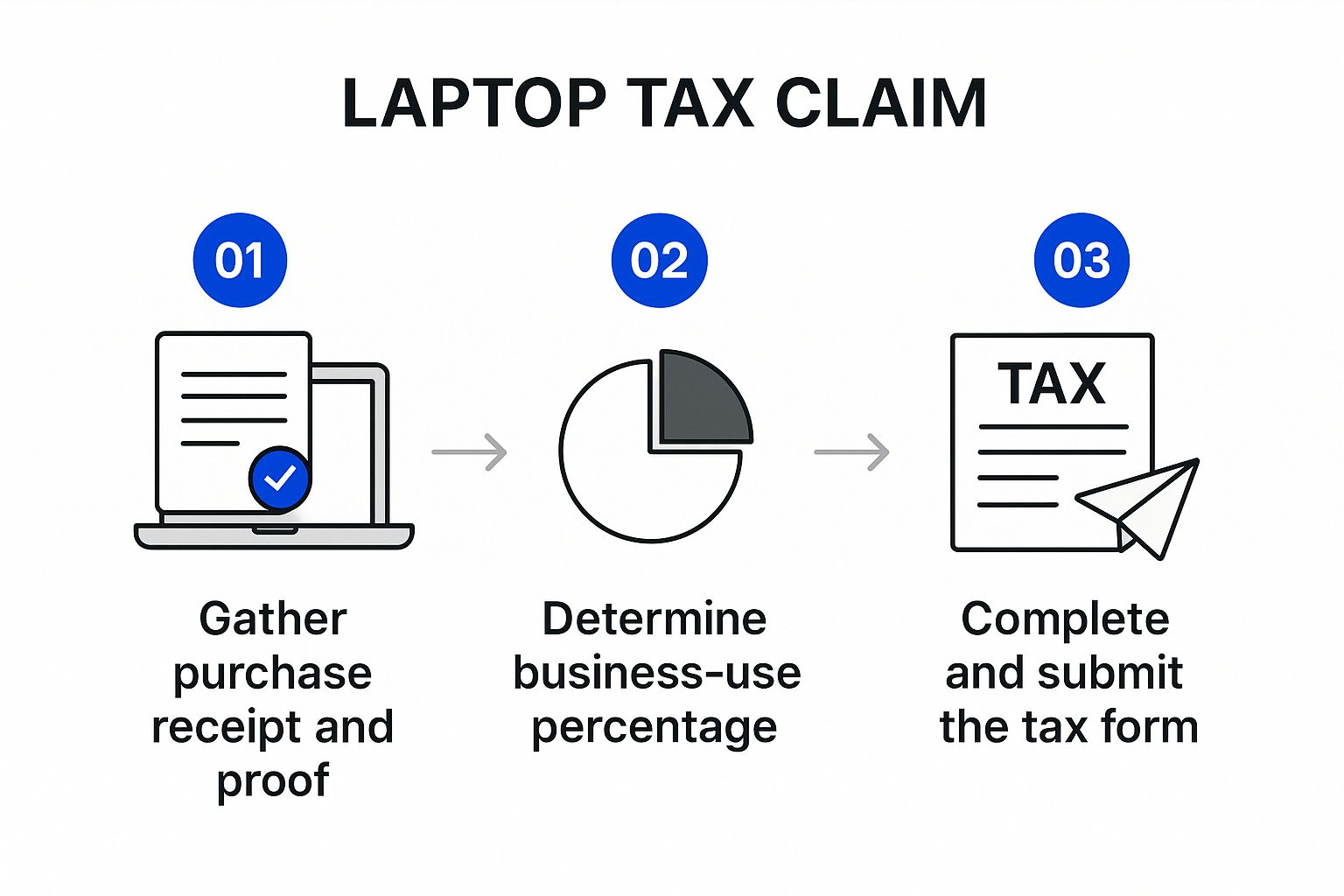
Be honest about private use. Streaming, gaming, personal banking and family photos all count against your work percentage, and a 100% claim on a household’s only computer is the kind of figure that prompts an ATO review. If your usage changes significantly – a new job, a move to full-time remote work – keep a fresh diary and adjust the percentage for later years.
Software, accessories, repairs and interest
The same principles extend to everything around the laptop:
- Software included with the laptop (the operating system, say) is part of the laptop’s cost and is not separated out.
- Software bought separately follows the same thresholds: a subscription or a program costing $300 or less that you use mainly for work can be claimed immediately; software costing more than $300 that you buy outright is depreciated. The ATO’s example has Mateo depreciating both his $999 computer and his $450 work software, while his $149 antivirus subscription is claimed in full.
- Accessories – a monitor, keyboard, mouse, docking station, laptop bag or webcam – are depreciating assets in their own right, subject to the $300 tests (and the set rule).
- Repairs and insurance on the laptop are deductible in the work-related proportion in the year you pay them.
- Interest on money borrowed to buy the laptop is deductible in the work-related proportion.
Cloud accounting and productivity subscriptions used for business, such as Xero or Microsoft 365, are ordinary business running costs for a sole trader. If you want help setting up Xero properly, see our Xero training and setup service.
Laptops and working from home
The ATO’s working-from-home fixed rate – 70 cents per hour for 2024-25 and 2025-26 – covers electricity and gas, internet, phone, stationery and computer consumables. It does not cover the decline in value of a laptop, monitor, desk or chair; those are claimed separately in addition to the fixed rate, using the rules above. Under the actual cost method, the laptop’s decline in value is simply one of the actual costs you claim. In both cases you need a record of your actual hours worked from home for the year, not an estimate.
Records that survive an ATO review
- The tax invoice or receipt showing the supplier, date, item and amount.
- Your work-use diary for a representative four-week period, and any later diaries if your usage changed.
- Evidence of why you need the laptop for work – your role description, your employer’s remote-working arrangement, or your business activities.
- Your decline in value calculation (method, effective life, days held) for each year you claim.
- Invoices for software, accessories, repairs and insurance.
- Confirmation that you were not reimbursed – for employees, a note that the item is not covered by any employer policy.
Keep everything for five years from the date you lodge the return in which the deduction is claimed. Photos of receipts stored in the ATO app’s myDeductions tool are acceptable records. For the general rules on what you can and cannot claim see the ATO’s deductions you can claim hub and our guide to how much you can claim without receipts.
Mistakes that trigger ATO questions
- Claiming 100% work use on a laptop that is also the household computer.
- Claiming a $1,500 laptop in full as an employee. The $20,000 instant asset write-off is for businesses; employees depreciate anything over $300.
- Splitting a purchase to get under $300. The set and identical-items tests catch this.
- No usage record. A receipt alone does not support a percentage.
- Claiming an employer-provided or reimbursed laptop, or a salary-packaged laptop that your employer has already dealt with under FBT.
- Using the wrong effective life or changing methods part-way through an asset’s life.
- Forgetting to carry the asset forward. A laptop bought in January is claimed over at least two returns, not one.
FAQ about claiming a laptop on tax
Can I claim my laptop on tax if I am an employee?
Yes, if you bought it yourself, were not reimbursed, and use it to do your job. You claim only the work-related percentage. If it cost $300 or less and you use it mainly for work you can claim it in full in the year you bought it; if it cost more than $300 you claim the decline in value over its effective life. If your employer supplied the laptop, there is nothing to claim.
How many years do I depreciate a laptop over?
The Commissioner’s effective life schedule (TR 2022/1) lists laptops at 2 years and desktop computers at 4 years. For a laptop that means 50% of the work-related cost a year under the prime cost method, or 100% a year under the diminishing value method, apportioned for the number of days you held it in the year you bought it. You can self-assess a different effective life if you can justify it.
Can a sole trader write off a laptop immediately?
A small business with aggregated turnover under $10 million that uses the simplified depreciation rules can immediately deduct the business portion of a laptop costing less than $20,000 under the instant asset write-off, which the ATO confirms is legislated to 30 June 2026. The Government announced in the May 2026 Budget that the $20,000 threshold will become permanent from 1 July 2026; check with us or the ATO whether that legislation has passed before relying on it for 2026-27 purchases.
What percentage of my laptop can I claim?
Your work-related percentage. Work it out from a record of actual use over a representative period, such as a four-week diary showing hours of work use and total use. If you use a laptop 30 hours a week in total and 24 of those are for work, your work use is 80%. The ATO expects a record such as a diary note to support the percentage.
Can I claim a laptop under the working-from-home fixed rate?
Not under the 70 cents per hour fixed rate. That rate covers running costs such as electricity, internet, phone, stationery and computer consumables. The decline in value of a laptop, desk or chair is claimed separately on top of the fixed rate, or as part of the actual cost method. Either way you need the purchase record and your work-use percentage.
Talk to a registered tax agent
Whether you are an employee depreciating one laptop or a business owner deciding what to buy before 30 June, getting the method and the percentage right is worth more than the cost of the advice. Nanak Accountants prepares individual and sole trader tax returns across Australia and offers virtual CFO services for growing businesses. Call 1300 626 258, contact us or book a free 15-minute consultation.
This article is general information only and is not personal tax advice. The $300 tests, decline in value rules, working-from-home fixed rate and instant asset write-off status were checked against ATO guidance on 6 October 2026. The instant asset write-off threshold for 2026-27 depends on legislation that was announced but may not yet have passed; confirm before relying on it.