
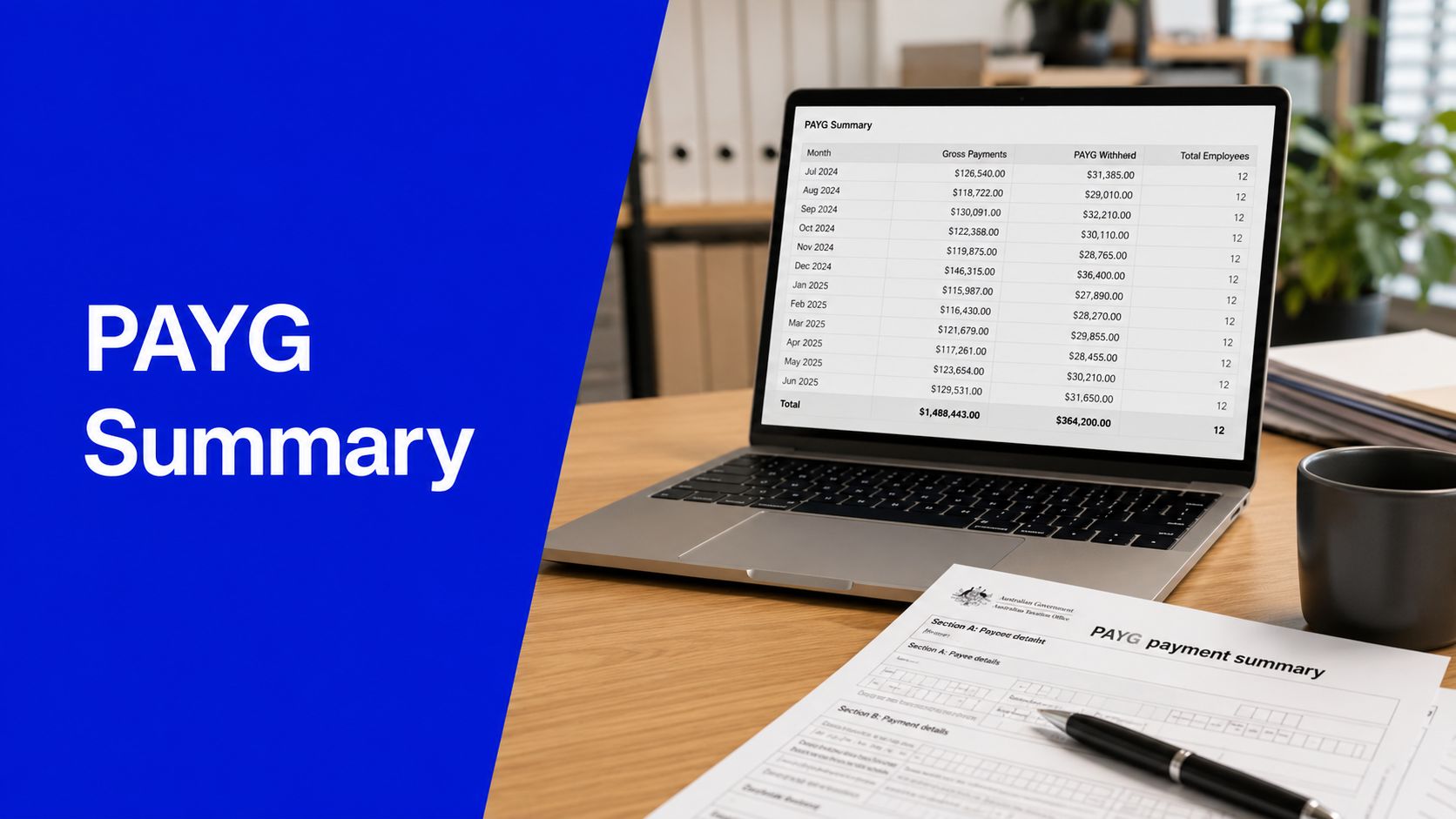
Many Australians still search for a PAYG payment summary at tax time.
In most cases, though, the document they need is an ATO income statement in myGov because of Single Touch Payroll. If you left a job during the year, the same statement shows any termination payment, and our guide to employee termination payment tax explains how it is taxed. If your income statement includes a bonus, our guide to tax on bonus in Australia explains how it is taxed.
That shift has changed what employees look for and what employers must do at year end.
- A PAYG payment summary shows payments and tax withheld
- Most employees now receive an ATO income statement through STP
- Income statements are accessed through myGov and ATO online services
- Some payment summaries may still apply where amounts are not reported through STP
- Employees and employers should check current ATO guidance before lodging or reporting
From PAYG Payment Summary to ATO Income Statement
A PAYG payment summary records payments made to a worker or payee and the tax withheld from those payments. Most employees now receive an ATO income statement through Single Touch Payroll instead of a paper payment summary. Employers may still need payment summaries for amounts not reported and finalised through STP.
A PAYG payment summary Australia employers used to issue at year end is still part of the tax system, but it no longer applies in the same way for most wage and salary earners. The main practical change is simple. Employees usually check myGov, while employers usually focus on payroll finalisation rather than printing summaries.
According to Fair Work, most Australian employees now receive an ATO income statement via myGov rather than a physical PAYG payment summary because most employers report payroll data through STP, and employers under STP deferral or exemption must still issue a PAYG summary by 14 July (Fair Work payment summaries and income statements). For employers not covered by STP, the ATO says a PAYG withholding payment summary must be provided by 14 July each year, and late issue can lead to penalties (ATO PAYG withholding payment summaries).
What changed under Single Touch Payroll
Under Single Touch Payroll, the core payroll data still matters. Gross payments, tax withheld, and other reportable amounts still need to be correct. What changed is the delivery method and the year-end workflow.
For employees, the modern process is usually to wait for a tax ready income statement in myGov. For employers, the key job is to reconcile payroll and complete STP finalisation so that the ATO can display the right information to staff.
Practical rule: If your employer reports through STP, don’t wait for a paper summary unless you’ve been told a separate summary is still required for a specific payment type.
Payment Reporting Documents Compared
| Item | What it shows | Who uses it | Where to access it | Practical note |
|---|---|---|---|---|
| PAYG payment summary | Payments made and PAYG withholding for the year | Employees, payees, employers, tax agents | Usually issued by the payer | Still relevant where reporting isn’t fully handled through STP |
| ATO income statement | Year-end payroll information finalised through STP | Employees and tax agents | myGov and ATO online services | This is what most employees now rely on |
| STP report | Payroll data reported from payroll software to the ATO | Employers, payroll staff, bookkeepers | Payroll software and ATO reporting channels | It is a reporting process, not the employee-facing year-end document |
| PAYG withholding annual report | Annual report for payment summaries where required | Employers and the ATO | Lodged with the ATO | Needed in cases where separate payment summaries still apply |
Income statement vs payment summary
The most common confusion is income statement vs payment summary. They can show similar data, but they aren’t the same document.
A payment summary ATO process usually applies where an employer is exempt from STP or has a payment type outside normal STP finalised reporting. An ATO income statement is the employee-facing result of compliant STP year-end reporting for most employers.
How to Access and Read Your Income Statement
The PAYG payment summary has largely been replaced by STP income statements for most employers, with income details pre-filled in myGov after payroll finalisation (Sprintlaw on payment summaries and STP income statements). For employees, the practical issue isn’t theory. It’s knowing exactly where to click and what to check before lodging.
How employees can find their income statement in myGov
- Sign in to myGov
- Open ATO online services
- Go to Employment
- Select Income statements
- Choose the financial year
- Check employer name, gross income and tax withheld
- Wait until the income statement is marked Tax ready where possible
- Contact the employer if details are missing or incorrect
If you need the official access steps, use the ATO’s guide to access your income statement.
If you’re lodging and want help reviewing what appears in myGov against your return, professional support with Xero training and setup can also help payroll users understand where reporting errors may have started upstream.
What Tax ready means
Tax ready means the employer has finalised the STP information for the year. If it isn’t marked Tax ready, the data may still change.
Check current ATO guidance before lodging if your income statement isn’t marked Tax ready. In practice, lodging too early is one of the easiest ways to create avoidable amendments.
Wait for the status, then review the figures. A rushed return often creates more work than a delayed one.
Understanding Your Income Statement Information
| Information shown | Why it matters | Common issue |
|---|---|---|
| Employer or payer name | Confirms who reported the income | Old employer name after business restructure or payroll setup error |
| ABN or withholding payer number | Helps identify the reporting entity | Mismatch between expected employer and reporting entity |
| Gross payments | Forms part of taxable income | Wrong pay period included or omitted |
| Tax withheld | Affects tax return outcome | Withholding doesn’t match payslips or payroll records |
| Allowances | May need separate treatment in the return | Employee overlooks separately reported amounts |
| Reportable fringe benefits | Can affect broader tax and benefit assessments | Missing or unexpected reportable amount |
| Reportable employer super contributions | Important for tax reporting and contribution review | Salary sacrifice not reflected correctly |
| Employment termination payments | Must be reported correctly due to special treatment | Final payment coded incorrectly |
| Foreign employment income | May require extra review | Employee assumes all income is ordinary salary |
For anyone preparing their own return, compare the myGov income statement with your payslips and employment records before you lodge. If you want help reviewing it before submission, individual tax return services can save a lot of back-and-forth later.
Employer Duties for PAYG and STP Reporting
For employers, the biggest mistake is treating year-end payroll as an admin tidy-up. It isn’t. It’s a compliance process tied to PAYG withholding, employee tax reporting, and ATO visibility.
Under STP, employers must complete finalisation by 14 July so employees can see Tax ready status, while employers exempt from or deferred from STP must still issue PAYG payment summaries by 14 July and lodge the PAYG withholding annual report by 14 August (Hnry on finding a PAYG payment summary).
Who still needs a PAYG payment summary
A PAYG summary for employers may still be relevant in situations involving:
- Non STP reported payments
- Some contractor or withholding arrangements
- Employment termination payments
- Foreign employment payments
- Superannuation payment summaries
- Prior year reporting situations
Don’t overstate the rule. Not every unusual payment needs a separate summary, and not every employer is in the same reporting position. Check current ATO guidance for the exact payment type and reporting method.
Employer year-end process that works
- Set up payroll correctly
- Collect TFN declaration details
- Withhold PAYG using current ATO tax tables
- Report payroll through STP where required
- Reconcile payroll before year end
- Finalise STP reporting
- Prepare payment summaries only where required
- Lodge annual reports where required
- Keep payroll records securely
The systems piece matters too. Businesses handling fragmented spreadsheets, emailed forms and manual coding often create errors that only show up at finalisation. If you’re reviewing better document flows, this overview of what is intelligent document processing is useful background for reducing payroll admin friction.
For businesses that need hands-on payroll support, payroll services can help tighten reporting and reduce year-end cleanup.
Common Payroll Mistakes and Year-End Checklists
A simple example shows how the current process works.
Aman worked for a Melbourne employer during the financial year. His salary was 72000. His employer reported through STP, so he didn’t receive a paper PAYG payment summary. Aman checked his income statement in myGov, waited until it was Tax ready, then used it for his tax return. If the income or tax withheld was wrong, he would contact the employer before lodging.
That sequence is now normal. The old habit of waiting for a group certificate or PAYG summary for employees often leads people in the wrong direction.
Common mistakes and fixes
- Mistake: Looking for a paper PAYG payment summary when the employer reports through STP
Fix: Check your income statement in myGov through ATO online services.
- Mistake: Lodging before the income statement is Tax ready
Fix: Wait until the employer finalises the STP income statement where possible.
- Mistake: Using an old payment summary for the wrong financial year
Fix: Check the financial year before using it in a tax return.
- Mistake: Forgetting income from multiple employers
Fix: Review all employers listed in myGov.
- Mistake: Ignoring allowances or termination payments
Fix: Check all separately reported amounts before lodging.
- Mistake: Employer failing to reconcile payroll before STP finalisation
Fix: Reconcile wages, PAYG withholding, allowances and super before finalising.
- Mistake: Employee guessing missing income details
Fix: Contact the employer or check ATO online services before lodging.
- Mistake: Not keeping payroll records
Fix: Keep accurate payroll records and STP reports according to current ATO guidance.
Year-end reality: Most payroll problems aren’t caused by one big error. They’re caused by small mismatches left unresolved until finalisation week.
Employee checklist before lodging
- Income statement checked in myGov
- Income statement marked Tax ready where possible
- All employers included
- Gross income reviewed
- Tax withheld reviewed
- Allowances checked
- Termination payments checked if applicable
- Reportable fringe benefits checked if applicable
- Employer contacted if details are missing or incorrect
- Records saved before lodging
Employer year-end payroll checklist
- Payroll records reconciled
- PAYG withholding checked
- STP reports reviewed
- Employee details checked
- Allowances reviewed
- Termination payments reviewed
- Reportable fringe benefits reviewed
- STP finalisation completed
- Payment summaries prepared only where required
- Records retained securely
When to Get Professional Payroll Help
Some issues are straightforward. A missing figure, a delayed finalisation, a simple employer query. Others need a proper review before someone lodges a return or signs off payroll.
A practitioner should step in when:
- STP reporting is incorrect
- Income statements are wrong
- Payroll has not been reconciled
- PAYG withholding has been underpaid or overpaid
- Employees have missing summaries
- Contractors and employees are mixed
- Termination payments are involved
- ATO has issued a notice or review
For non-STP employers, a compliant PAYG withholding payment summary must include fields such as the employer ABN, employee TFN, gross payments and total tax withheld, and the annual report must be lodged electronically by 14 August through the ATO Business Portal using the official specification (Insight Perth on PAYG payment summary requirements). That technical layer is where errors often become expensive.
A registered tax agent Australia businesses trust can also help if your payroll system doesn’t match BAS figures, your finalisation is late, or your staff are already questioning a missing payment summary or incorrect income statement.
If you need broader support, bookkeeping and payroll support and a direct line to contact Nanak Accountants are the practical next steps.
PAYG Payment Summary and Income Statement FAQs
A common July problem is simple. An employee is waiting for a “group certificate”, the employer has already reported through STP, and neither side is sure who needs to act before the tax return is lodged. Under the current system, the split matters. Employees need to check what appears in myGov. Employers need to finalise payroll correctly so that record is usable.
If you’re setting up payroll processes for a growing business, this guide for founders on HR & payroll is a useful operational reference alongside tax advice.
What is a PAYG payment summary
A PAYG payment summary is the old year end document showing payments made and tax withheld. It still applies in limited cases, mainly where income is not being reported to the ATO through Single Touch Payroll.
Do employers still issue PAYG payment summaries
Some employers still do, but only where STP does not cover that payment type or the employer is not reporting that income through STP. If a payment summary is required, the employer must prepare it correctly and issue it on time.
Is an income statement the same as a PAYG payment summary
No. An income statement is the employee record created through STP and viewed through myGov. A PAYG payment summary is a separate document used outside that reporting flow.
Where do I find my PAYG payment summary
That depends on how your employer reports. If the employer uses STP for your wages, you will usually find an income statement in myGov instead of receiving a paper summary. If STP does not apply, ask the employer whether a payment summary should have been issued.
How do I access my income statement in myGov
Log in to myGov, open ATO online services, select Employment, then Income statements. Check the correct financial year and read the status before using the figures in your tax return.
What does Tax ready mean
It means the employer has finalised the STP data for that year. If the income statement is not marked Tax ready, the amounts can still change, so employees should wait or confirm the position with the employer.
Can I lodge without a payment summary
Yes, if your income statement is available in myGov and marked Tax ready. If it is not finalised, lodging early can create an avoidable amendment later.
What if my income statement is wrong
Employees should contact the employer first and explain what looks wrong, such as missing wages, incorrect tax withheld, or duplicate income. Employers then need to review the payroll file, correct the STP reporting if needed, and tell the employee when the update has been finalised.
What should employees check before lodging their tax return
Check the employer name, gross income, tax withheld, and Tax ready status. Then compare those figures to your final payslip or year to date payroll report if you have one. If you are also claiming work related expenses, use a practical tax deductions guide for Australian individual taxpayers so the return is checked from both sides, income and deductions.
What should employers confirm at year end
Employers should confirm that payroll totals match lodged STP figures, PAYG withholding reconciles to BAS, and all employee records are finalised under the right ABN and payroll category. Small errors here cause the usual tax time problems. Employees cannot fix those from their side.
Final thoughts
The old term still gets used, but the action points are different now. Employees need to confirm their income statement is correct before lodging. Employers need to finalise STP accurately and issue payment summaries only where the rules still require them.
- Meta title under 60 characters: PAYG Payment Summary Australia Guide
- Meta description under 160 characters: Learn the difference between PAYG payment summaries and income statements, how STP works, and what employees and employers must do at tax time.
Need help with PAYG withholding, STP finalisation or payroll compliance? Book a consult with Nanak Accountants and Associates or call 1300 NANAK TAX 626 258.